Xpand IT is proud to announce the release of Xporter 6.5.0
The main goal for this version is to improve the user experience
...
of Template management on the Xporter Administration, Project, and User profile level.
...
Several improvements were done on
...
the integration with the TempoTimesheets app. Now it's possible to export all of the Tempo worklog fields.
As part of our continuous improvement
...
, bug fixes have also been included in this version.
Compatibility Notes
| Note |
|---|
|
Xporter won't be compatible with Jira versions greater than 7.10.x |
...
| Panel |
|---|
| borderColor | #F3F3F3 |
|---|
| bgColor | #FAFAFA |
|---|
| borderWidth | 1px |
|---|
|
User experience improved on Template Management| Section |
|---|
List of Templates| Column |
|---|
| Xporter has prepared a new experience for the templates management. With the new interface you can: - Search the template by name of or filename
- Change the order of the templates to be displayed (sorting by column)
- Pagination , that - allows you to define the number of templates per page
- The default template will appear first in the list
- The icons representing the file type
- View the full name of the author who performed the last modification to the template
- Download the template in the options menu of each template
|
| Column |
|---|
| 
|
|
| Section |
|---|
Add / Edit Template| Column |
|---|
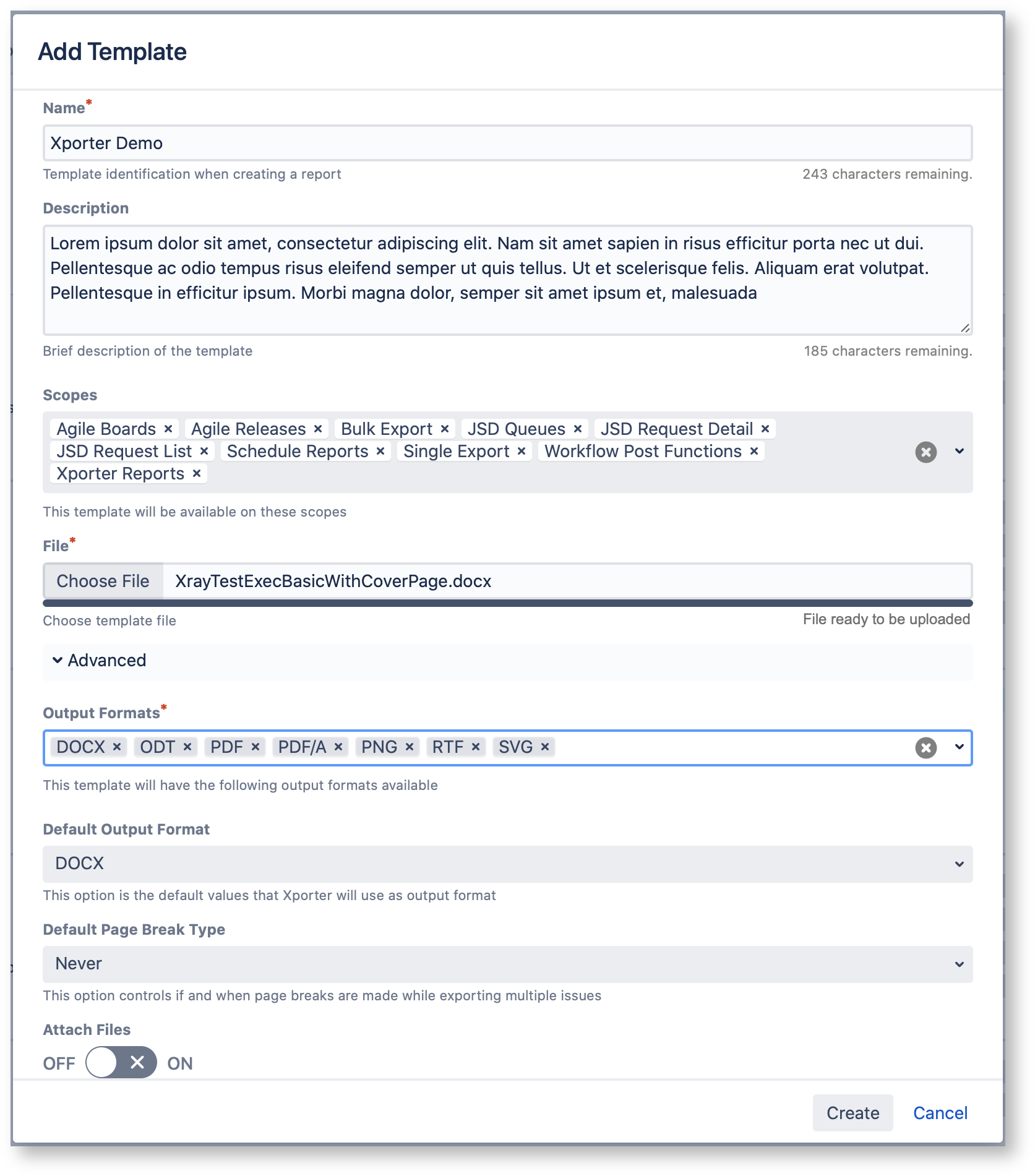
| We have changed the add/edit templates dialog.
From now on, you will be able to add/edit the template scopes directly from the current dialog.
Learn more about this feature here. |
| Column |
|---|
| 
|
|
|
| Panel |
|---|
| borderColor | #F3F3F3 |
|---|
| bgColor | #FAFAFA |
|---|
| borderWidth | 1px |
|---|
|
| Section |
|---|
| Column |
|---|
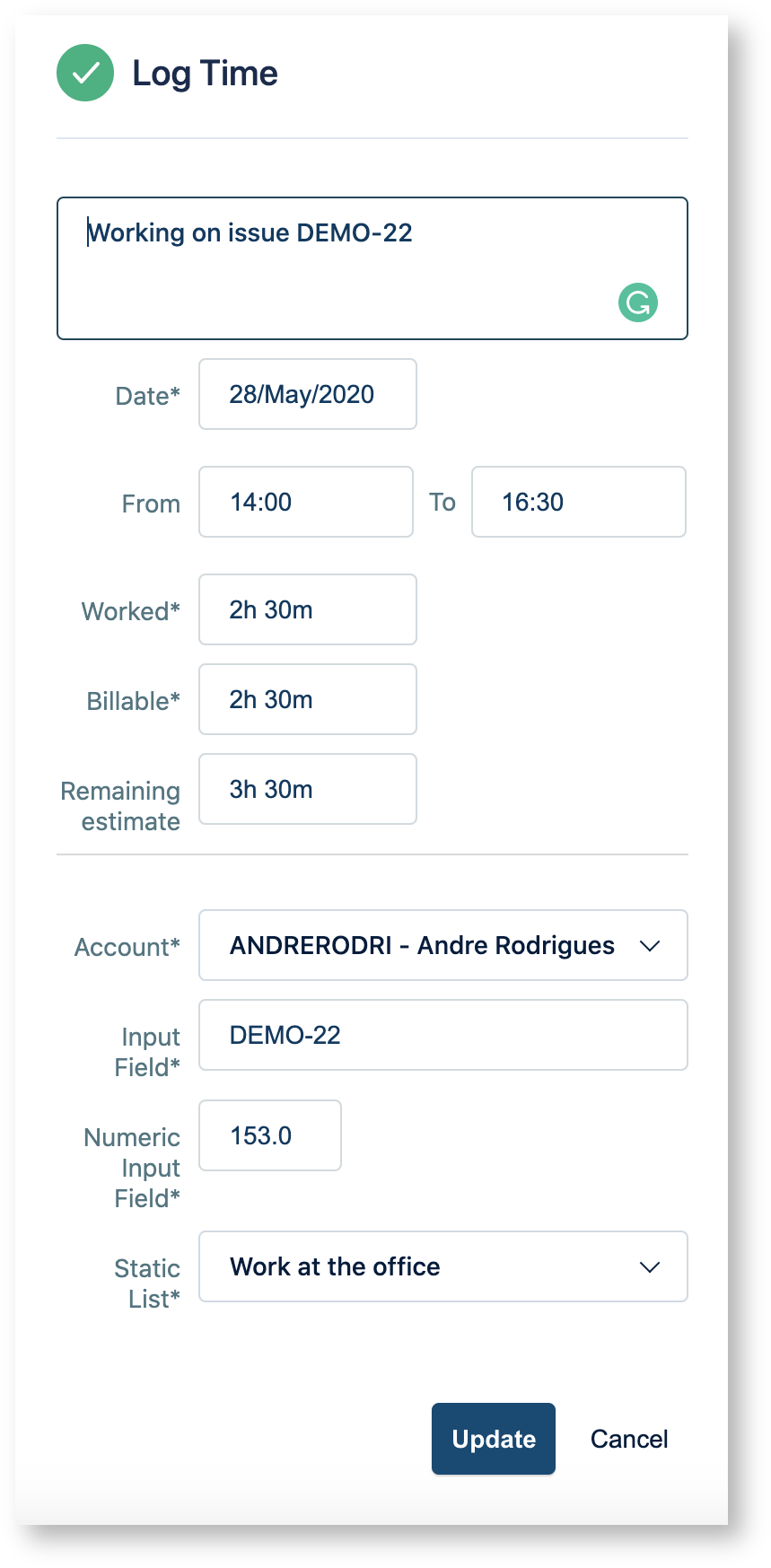
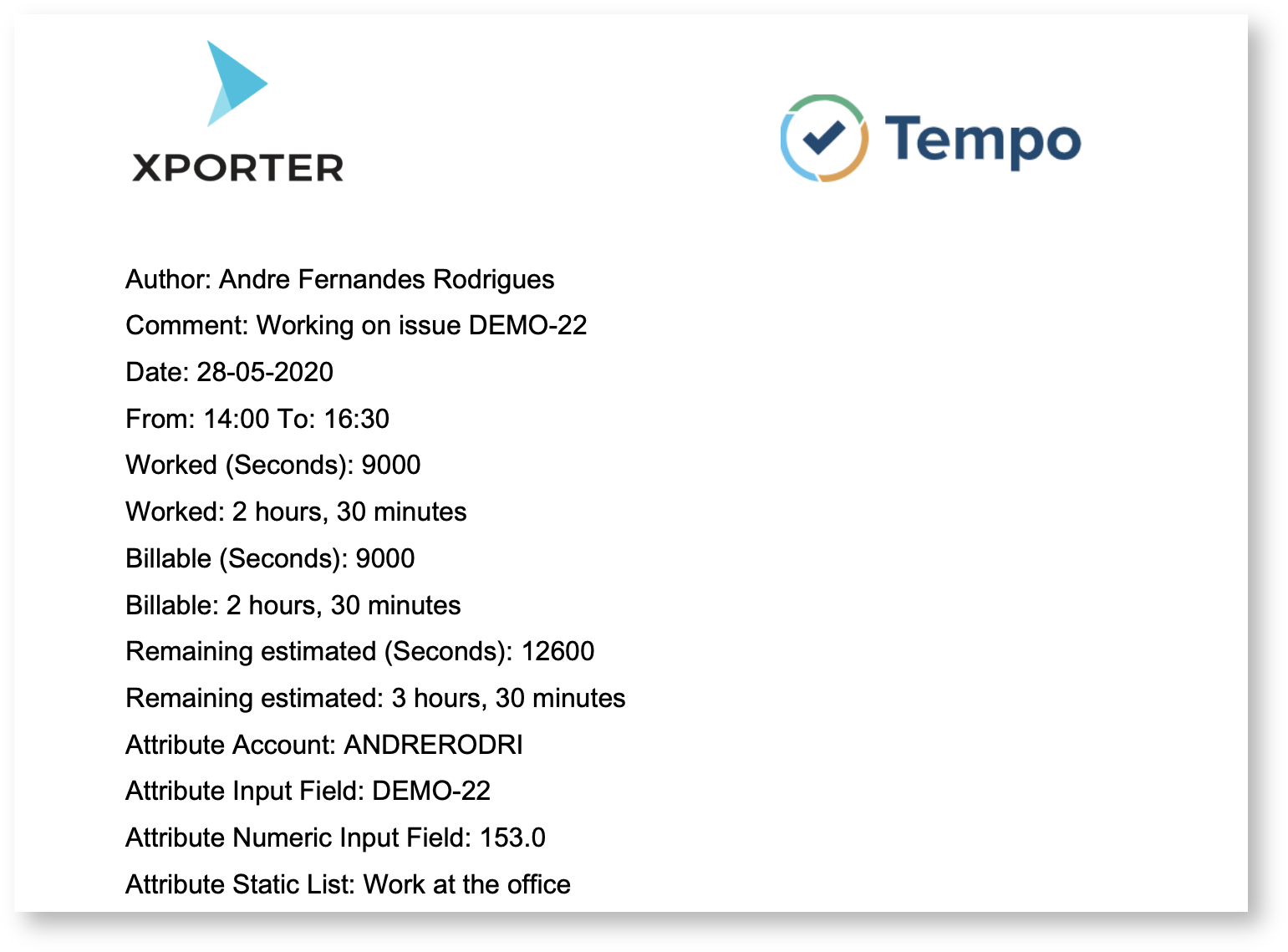
| Improve Improved integration with Tempo TimesheetsXporter improved the integration with Tempo Timesheets TempoTimesheets in order to be able to export all the fields from Tempo. Xporter allows you to export all the fields defined on the log time and also the attributes defined on the Tempo app.
Work attributes are custom fields that you can add to time records in order to record detailed information about logged time
Tempo Fields | Description |
|---|
| Author | The author of the worklog entry | | Comment | The comment present on the worklog | | Date | The date when the worklog is registered | | From | The time when the worklog started | | To | The time when the worklog finished | | Worked | The worked time in seconds | | WorkedFormatted | The worked time as displayed on Jira | | Billable | The billable time in seconds | | BillableFormatted | The billable time as displayed on Jira | | RemainingEstimate | The remaining estimated time in seconds | | RemainingEstimateFormatted | The remaining estimated time as displayed on Jira | | <Atribute Name> | The attribute name defined on tempo |
Learn more about this feature here. |
| Column |
|---|
| 
|
|
|
...