...
Export Jira Service Desk Request Participants
You can extract the requested participants of an issue.
Definition
${Request participants} |
Example
You can add request participants in the field shown below.

These requested participants will be translated into a document template as resolved by Xporter for Jira:

Export Jira Service Desk Approvers
You can extract
Definition
${Approvers} |
Example
To add approvers you must select the Admin button and click in Add field.
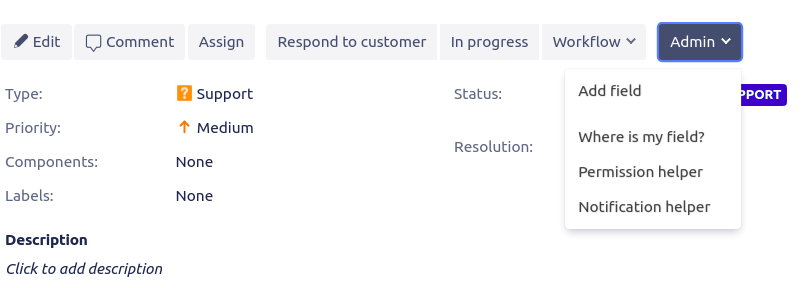
This will trigger a pop up where you can choose a field, in this case, the approvers' field.
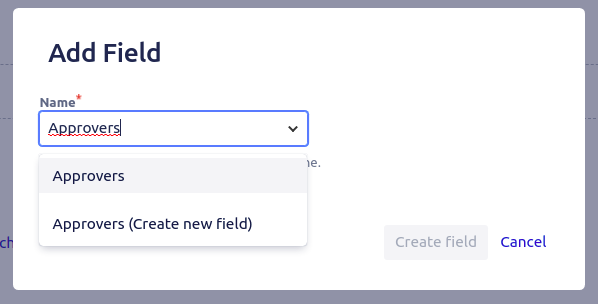
The approvers field will be available after.

Export Jira Service Desk Request Language
Definition
${Request language} |
Example
To add the request language you must select the Admin button and click in Add field.
This will trigger a pop up where you can choose a field, in this case, the request language field.
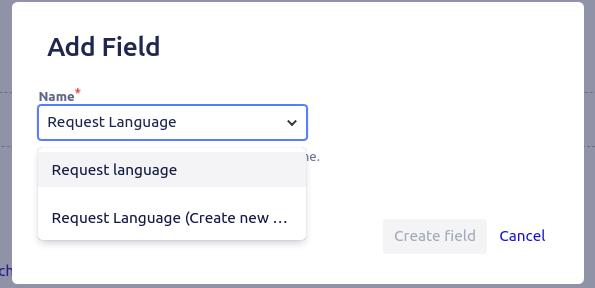
The language which a request was raised in will be then available.

Export Jira Service Desk Satisfaction
To export Satisfaction data, the customer must give a rating review.
Definiton
${Satisfaction} |
Definiton
${Satisfaction date} |
...