...
Getting the value of SLA
You can extract the time of SLA data from the JSD.
Definition
Let's imagine that the SLA is the Time to Resolution custom field. The definition will be:
${Time to Resolution} |
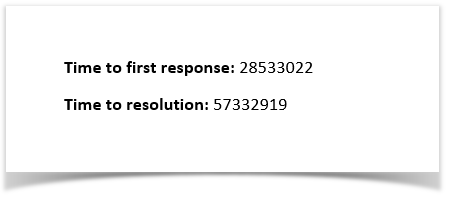
That´s it. There´s no special configuration to be made in order for this to work. The time is exported in milliseconds.
Example
Below are the Time to first response and Time to resolution.
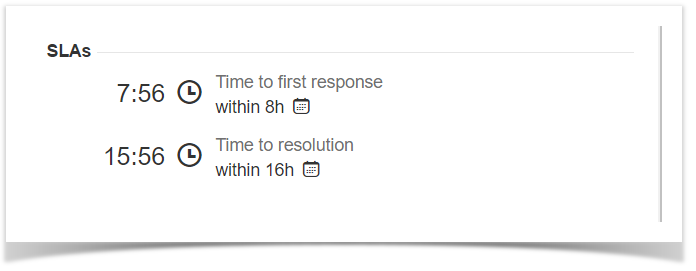
This translates to a Word document template as resolved by Xporter for Jira:
Furthermore, you are able to export more information related to the SLA. Each SLA has information on when it started and stopped, and whether it breached the SLA goal. The notation is:
${<SLA custom field>.<Field>} |
| SLA fields | Description |
|---|---|
elapsedTime | Returns the total time the SLA has been running |
startTime | Returns the date when the SLA started |
stopTime | Returns the date when the SLA stopped |
goalDuration | Returns the date with the SLA duration |
breached | Returns a boolean if the SLA is breached |
paused | Returns a boolean if the SLA is paused |
withinCalendarHours | Returns a boolean if the SLA is within calendar hours |
| Code Block | ||||
|---|---|---|---|---|
| ||||
Let's imagine that the SLA is the Time to Resolution custom field:

${Time to resolution}
${Time to resolution.elapsedTime}
${Time to resolution.startTime}
${Time to resolution.stopTime}
${Time to resolution.goalDuration}
${Time to resolution.paused}
${Time to resolution.withinCalendarHours} |
| Info |
|---|
The field ${Time to resolution} will be responsible to return the remaining time of the SLA custom field |
| Note |
|---|
To convert the value in milliseconds, use the new function ${durationformat:<SLA custom field>} to get the value formatted. |
Export Internal Comments
Xporter V5.3.0 and higher allows you to export the internal value of a comment.
This can also be used to filter the internal comments.
Definition
#{for comments} ${Comments[n].Internal} #{end} |
How to use to filter comments
To return only the Internal Comments:
#{if (%{${Comments[n].Internal}})} or #{if (%{'${Comments[n].Internal}'.equals('true')})}
To retrieve only the public comments:
#{if (%{!${Comments[n].Internal}})} or #{if (%{'${Comments[n].Internal}'.equals('false')})}
Example:
#{for comments} #{if (%{${Comments[n].Internal}})} Author: ${Comments[n].Author} Body: ${Comments[n].Body} #{end} #{end} |
Export
ApprovalsThe Jira Service Desk allows you to add an approval step to a status in a workflow, in case an approval is needed for issue types (and their associated request types).
The Xporter for Jira allows exporting the Jira Service Desk Approvals and the relevant information about the approval and the respective approvers.
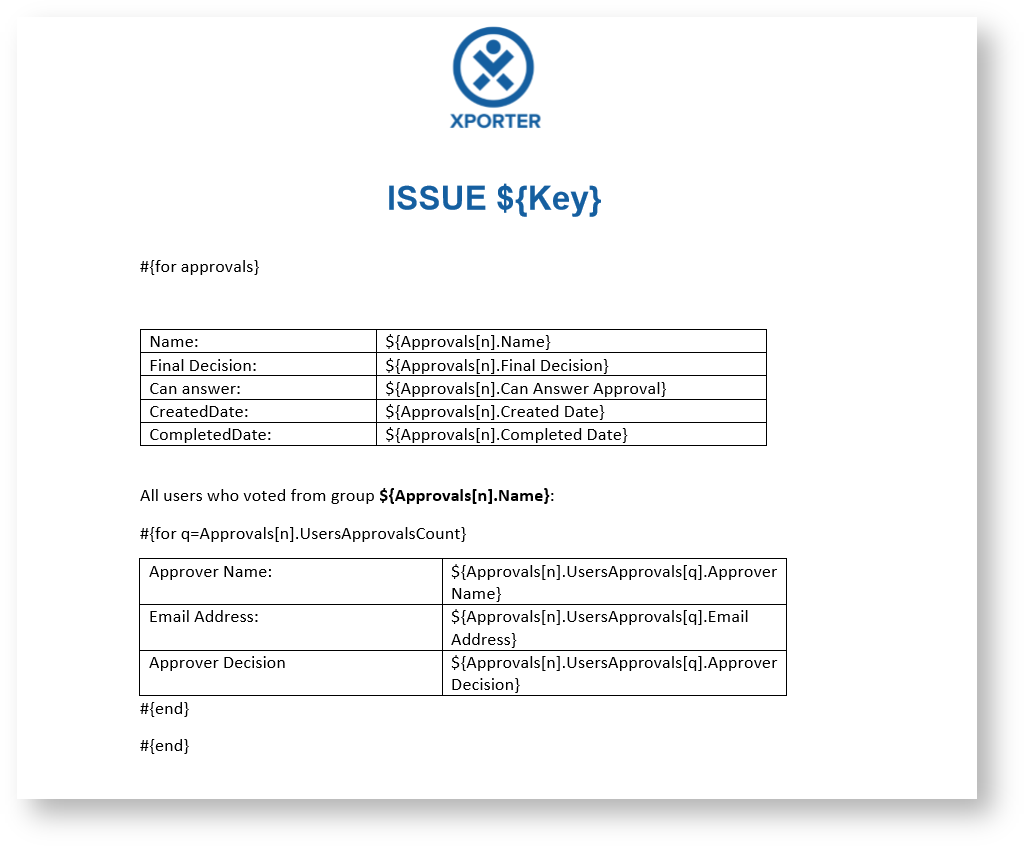
As it is not known in advance how many approvals exist for an issue, you can iterate a section over all the approvals of an issue and all the approvers and respective decision. This allows you to create a table that dynamically grows according to the number of existing approvals. The notation is:
The decision about the approval (Approved, Declined or pending)
Created DateCompleted DateNow, here's an example of an Xporter for Jira template to get all the approvals of an issue and the information about each approver:
| Code Block | ||||
|---|---|---|---|---|
| ||||
#{for approvals}
	${Approvals[n].Name}
	${Approvals[n].Final Decision}
	${Approvals[n].Can Answer Approval}
	${Approvals[n].Created Date}
	${Approvals[n].Completed Date}

	Here, we have the FilesCount where we can get all the files associated with a commit.
	#{for m=Approvals[n].UsersApprovalsCount}
		${Approvals[n].UsersApprovals[m].Approver Name}
		${Approvals[n].UsersApprovals[m].Email Address}
		${Approvals[n].UsersApprovals[m].Approver Decision}
	#{end}
#{end}

or

#{for <VariableName>=ApprovalsCount}
   Content and Issue Mappings. Example: ${Approvals[VariableName].Field}
#{end} |
Export Organizations
Definition
${Organizations} |
...